

Coding agent memory
A coding agent can read what the code does, but the reasons behind it and the approaches a team has rejected usually aren’t in the code. Each new session also starts with no memory of the last one.
Connect a brain and every session can search those decisions, whether it runs in Claude Code, Codex or Cursor. The agent searches before it changes how something works, and captures a note when a decision gets made.
A decision reaches the next session
One developer settles a decision in a Claude Code session, and the agent captures it with the reason. Later, a second developer starts a related task in Cursor.
The Cursor session has no record of the first one, but a search finds the decision page, and the agent brings it up before writing any code. The developer can still choose differently.
What goes where
A project that uses a brain still needs its rules file, and each place suits different information.
A client loads the whole rules file on every task, so each line costs context. A brain page only loads when a search for the task finds it. Pinned pages rank first in the prompt index, which the agent reads at the start of a session.
Connect the agent
Create one brain per project. Brains belong to a subject, so generate one UUID for the project and use it as the subject in every developer’s client. Everyone then reads and writes the same pages.
Claude Code
Codex
Cursor
MCP with API key has the setup for other clients. The key works across your whole organization, so keep this configuration in user scope and out of the repository.
Tell the agent when to use it
Add a section like this to CLAUDE.md, AGENTS.md or your client’s rules file, so the agent knows when
to call the tools:
Try it
Start a new session and ask about something the team has already decided:
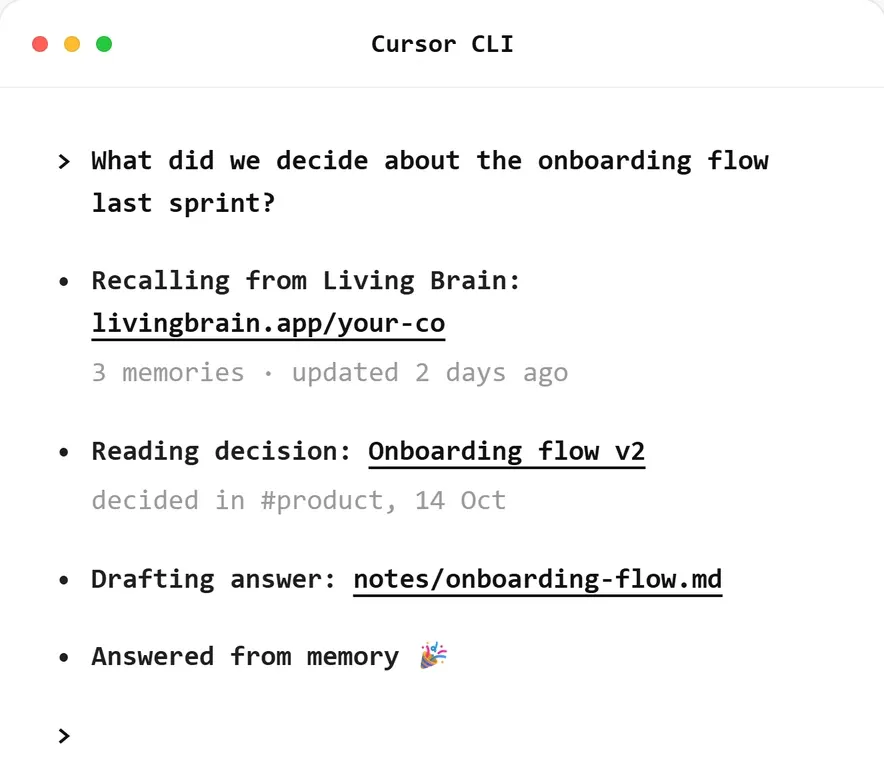
The agent should call the brain before it answers. A session looks something like this, though the exact display differs between clients:
If the agent answers without calling a tool, check that the rules file section above is loaded and that the server is connected.
What the agent calls, and when
- Session start.
workspace_indexreturns a short digest of the brain’s most important pages. One load per session is usually enough. - Each task.
workspace_search_pagesfinds candidates andworkspace_get_pagereturns their full text. A highsimilarityonly means a page is close to the query, so the agent has to read the page before relying on it. - A decision. The agent calls
captures_capturewhen a person settles something a later session would otherwise have to work out again. Routine changes don’t need a capture.
Captures compile in the background, so a search right after a capture won’t find the new material. This doesn’t affect the current session, which already has the decision in its context.
What makes a useful capture
Write the capture for a session that has none of today’s conversation. This structure suits most decisions:
If your client can run a script on each message, you can send turns through
captures_capture_chat_turn instead and let the classifier choose what to keep. It can catch decisions
the agent doesn’t notice, but more of each session goes to the brain, so check what those turns contain
first.
Capture decisions made outside the agent
Decisions made in code review don’t pass through the agent. To include them, have a CI step capture each
merged pull request. originRef means a re-run of the job won’t create a second capture.
Existing architecture decision records can go in once with
captureBatch, using the file path as each originRef. Fill in the
brain profile first, because it only shapes captures that come after it.
When a decision changes
When a later capture changes a decision, the brain updates the page and keeps the earlier version with
the source behind it. If the new material contradicts the page, the status becomes contested and both
claims stay on the page until someone resolves it. The rules file section
above has the agent show you both claims and ask, so a person makes that call.
Limit what the agent can do
The API-key MCP server exposes every API operation as a tool, including ones that edit or permanently delete pages. This use case needs four of them. Allow those in your client’s tool permissions and keep approval on the rest.
When a rules file is enough
A small project with one developer and one tool can often keep everything in its rules file. Consider a brain once several people or tools work on the same code, or the rules file has grown past what you’d want loaded on every task.
Shared rules in code review shows this end to end: Claude Code saves a team’s rules and Codex applies them in a review. How to build with Living Brain covers the write and read paths in more detail.