

Customer feedback
Feedback about one problem can sit in a support tool, a folder of interview recordings and a CRM, in different words each time. When you capture all of it into one brain, each piece compiles onto the page for its problem, so a product manager can read one page and follow a link to every source.
How different sources reach one page
A ticket, an interview and a sales note can describe the same problem without sharing any words. Routing compares each extracted fact with existing pages by meaning, so all three can land on the same page, and each one updates the page and adds a source.
The line to the related page comes from a separate check on new pages. A model judges whether two pages are worth reading together and stores its reason, so a connection can show something none of the captures say.
Try it from an AI tool
You can test this before writing any code. Connect a brain to your AI tool, paste in a few pieces of feedback and ask for them back by problem.
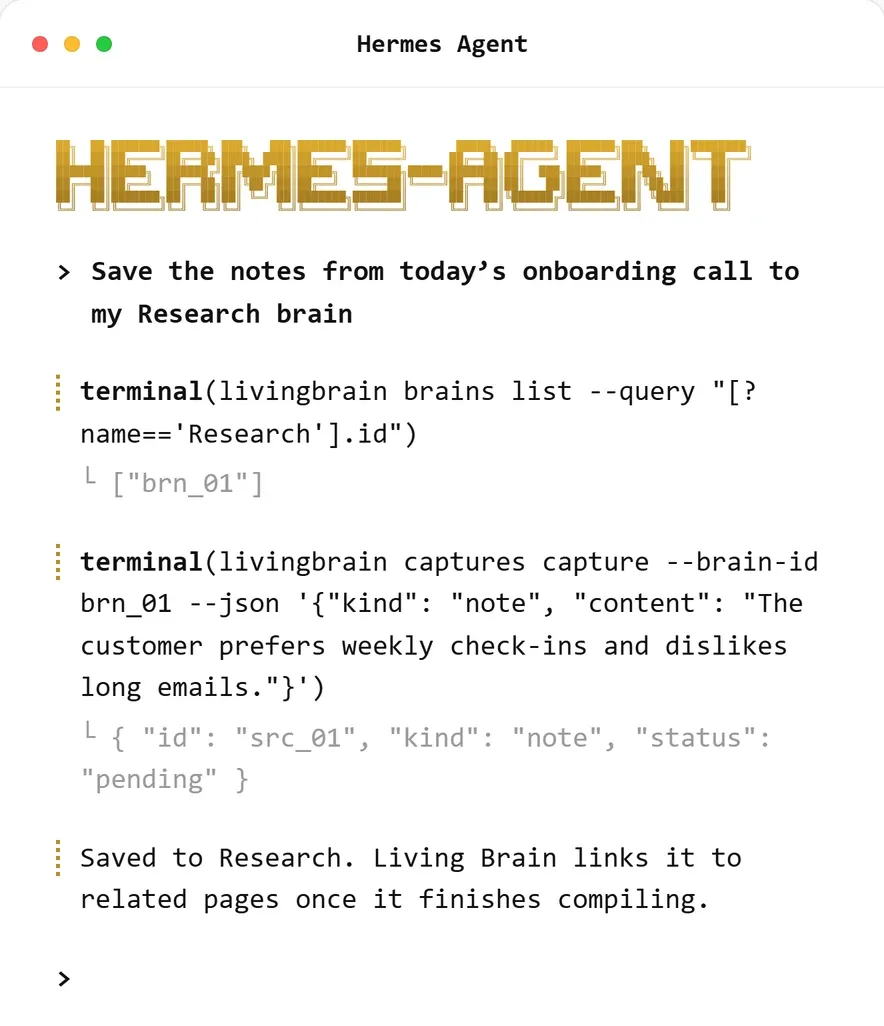
A capture is one command, and the response comes back as pending while the brain compiles it. This
example session comes from livingbrain.com.
Once it has compiled, try prompts such as:
How the parts fit
- Sources. Your app collects feedback from the tools where it already lives, so customers and support agents keep working as they do now.
- Redact and label. Your app removes personal details and sets a label and an
originRef. - Capture. The call returns straight away with an ingest source. Save its
idagainst the customer in your own database. - Compile. A background worker extracts facts, routes them to pages and records a new version of each page it changes.
- Pages to people. A webhook updates your tracker, a daily brief goes to the team, and contested pages wait for someone to decide.
A capture returns straight away, before any compiling happens:
Once compiling finishes, the status becomes completed and affectedPageIds lists the pages it changed.
Group by problem
Customers often describe the solution they have in mind, and a product team usually learns more from the problem behind it. Use the profile to tell the brain to organize feedback by problem:
Profile changes only apply to later captures, so set this before the first import.
Count customers yourself
Source counts don’t measure demand, because ten tickets from one customer and one ticket each from ten customers both give ten sources. To count customers, join a page’s sources to the table you saved at capture time:
Keep plan, revenue and region in that table too. You can join them to any page’s sources without sending them to the brain.
Keep other systems in step
To link pages to issues in your tracker, subscribe to brain.page.updated and key the link on the page
ID, because a renamed page gets a new slug and keeps its ID. Read the change feed as
well. After a merged event several pages have become one, and after a split event one page has become
several, so your links need updating.
For a weekly review, read everything that changed since the last one:
To send pages to the team on a schedule, turn on daily briefs and
bind a Slack channel with notifyBriefs on.
What a contested page can mean
When new feedback contradicts a page, the brain marks it contested and keeps both claims until someone
resolves it.
Personal data
Redact before you capture. Text from a capture can end up in pages and their earlier versions, and removing it from there is much harder.
If a customer asks you to delete their data, start with your table of source IDs, which shows the sources
that belong to them. Deleting an ingest source leaves the pages derived from it in place, so use each
source’s affectedPageIds to find those pages and edit them. An edit keeps the
previous text in the page’s history, and only permanent deletion removes the
versions too.
Limits to plan for
When to use something else
Use a brain for written feedback that people need to read. The rate of an error or the share of users on a feature belongs in your analytics. A survey with fixed answers fits a spreadsheet, though its free-text comments are worth capturing.
How to build with Living Brain covers the write and read paths in more detail.