

Skip to navigation

New-hire onboarding

Answering a new hire's questions from the team's own decisions, with sources.

New hires often ask why something is done a certain way, and the answer may be in an old meeting, a postmortem or one person’s memory. An assistant in your team chat can answer from a brain, link to the sources and say when a page might be out of date. When no page covers the question, it asks someone and keeps the answer for the next hire.
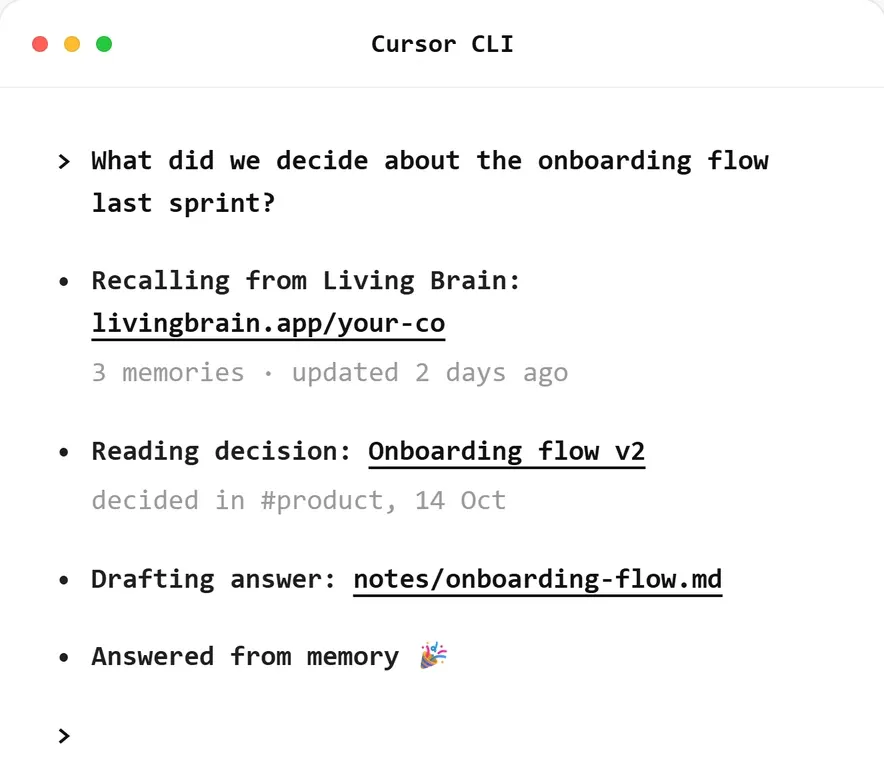
Cursor CLI answering what was decided about the onboarding flow, naming the decision, the channel and the date
An example Cursor CLI session from livingbrain.com. The answer names where and when the decision was made.

Explain why something changed

A brain page keeps its earlier versions, so when a new hire asks why the team works a certain way, the answer can include how the current rule came about.

RunbookOriginal ruleVersion 1PostmortemException addedVersion 2Team meetingRule narrowedVersion 3, currentRunbookOriginal ruleVersion 1PostmortemException addedVersion 2Team meetingRule narrowedVersion 3, current

Each version records its source. The assistant can explain what changed and when, and the new hire can open each source.

const versions = await client.workspace.pageVersions({ brainId, slug });
// Newest first. Each version has its body, its ingestSourceId and when it was created.
const history = versions.map((v) => ({
version: v.version,
summary: v.summary,
sourceId: v.ingestSourceId,
date: v.createdAt,
}));
Example output
[
{ "version": 3, "summary": "Narrowed the rule after a team meeting", "date": "2026-09-16" },
{ "version": 2, "summary": "Added an exception after a postmortem", "date": "2026-03-11" },
{ "version": 1, "summary": "First written in the runbook", "date": "2026-01-20" }
]

Pass the history to your model when the question is about why or when. For a question about what the rule is today, the current page is enough.

What the assistant does with each status

activestalecontestedno pagefound next timeQuestionSearchand readPagestatus?Answer with sourcesAnswer and flag its ageShow both claimsAsk the ownerCapture the answeractivestalecontestedno pageQuestionSearch and readPagestatus?Answer with sourcesAnswer and flag its ageShow both claimsAsk the ownerCapture the answer
The assistantThe brainA person

A new hire can’t tell whether an answer rests on a disputed page, so the assistant should say so. Base its response on the page’s status:

Page statusWhat the assistant does
activeAnswers and links the sources
staleAnswers, gives the date of the last update and suggests who to check with
contestedShows both claims with their sources and asks the owner to resolve the page
deprecated, archivedSkips the page, unless the question is about history
No usable pageSays it doesn’t know and asks the owner

stale means nobody has referenced or refreshed the page recently. The page may still be correct, so the assistant answers from it and shows its age.

const hits = await client.workspace.searchPages({ brainId, query: question, topK: 5 });
const usable = hits.filter((h) => !["deprecated", "archived"].includes(h.status));
if (usable.length === 0) return askOwner(question);
const pages = await Promise.all(
usable.slice(0, 3).map((h) => client.workspace.getPage({ brainId, slug: h.slug })),
);
// The model answers from these pages only, or reports that they don't cover the question.
const draft = await answerFromPages(question, pages);
if (draft.unanswered) return askOwner(question);
return {
text: draft.text,
sources: draft.pagesUsed.map((p) => ({ slug: p.slug, version: p.version, status: p.status })),
};
Example output
{
"text": "The current rule comes from a team meeting, which narrowed an exception added after a postmortem.",
"sources": [{ "slug": "team-process", "version": 3, "status": "active" }]
}

Search can return pages that don’t contain the answer, so the assistant reads them before answering. If they don’t cover the question, it asks the owner, as it would with no page at all. Don’t let the model fall back on its own knowledge, because a new hire has nothing to check that answer against.

Closing a gap

When no page covers a question, the assistant posts it in the channel of whoever owns that area. A page has no owner field, so keep a map from topic to channel in your app. When the owner replies, capture the reply:

await client.captures.capture({
brainId,
body: {
kind: "note",
content: `Question: ${question}\n\nAnswer from ${owner.team}: ${reply.text}`,
label: `Answer: ${question}`,
originRef: `slack:${reply.channel}:${reply.ts}`,
},
});

Send the reply to the new hire straight away, because the capture has to compile before search can find it. After that, search can find the answer for the next person, even if they word the question differently.

The capture includes the question so the answer makes sense on its own. It leaves out who asked, so the brain holds no record of what a particular person didn’t know.

What goes in the brain

Access is decided per brain, so anyone who can use the assistant can get an answer from any page in it. Choose what goes in with that in mind.

Put inKeep out
Decisions and the reasons behind themPay, performance reviews and hiring discussions
Postmortems and runbooksCustomer contracts and other restricted documents
Team meeting transcripts, with attendees’ agreementBenefits and legal policy, which should be linked word for word
Architecture docs, as file or url capturesPrivate conversations

Then set the brain up for people who don’t know the team’s vocabulary yet:

  • Add your terms to the profile. List what your internal names and acronyms stand for, before the first import.
  • Search with rewrites. A new hire may not know what the team calls something yet, so have the assistant search the question plus one or two rewordings.
  • Pin the first-week pages, such as who owns what and how to ship your first change. Pinned pages rank first in the prompt index and never deprecate.

Keeping pages current

The brain flags pages that are going out of date, and someone has to review them. This sweep sends each stale page to its owner:

for await (const page of await client.workspace.listPages({ brainId, status: "stale" })) {
await notifyOwner(ownerFor(page), page.slug, page.lastCompiledAt);
}

Use listPages for a sweep like this. getPage updates a page’s lastReferencedAt, so a script that opens every page would make them all look recently used.

Review these lists on a schedule:

ListWhere it comes fromWhat it tells you
Questions with no pageYour assistant’s logWhat onboarding doesn’t cover yet
contested pageslistPagesWhere the team disagrees or a decision has moved
stale pageslistPagesWhat needs checking or retiring

Brain health tracks the same work over time. Unresolved contested pages and failed sources raise Strain, and a brain nobody is feeding loses Freshness.

When a brain isn’t the right tool

A team small enough for a new hire to ask everyone directly may not need this. For policies with legal or financial weight, such as benefits or expenses, link to the original document, because a paraphrase can get details wrong. New hires will still need a buddy or manager for anything nobody has written down.

How to build with Living Brain covers the write and read paths in more detail.